Do you need Reel Pro for this recording?
Choose a recording workflow before choosing a purchase. If the available free quality already produces a clear lesson, a higher pixel tier may not change the outcome you need. Check the current product listing and your local purchase screen rather than treating an old price or a competitor’s plan as Reel’s offer.
Start with a concrete requirement
Write what the recording must deliver: readable labels, a face camera, narration, app sound and an acceptable file. Make a harmless free-tier test of the actual task. This is a capability check, not a request to enter payment details before you know what is missing.
For an illustrative support video viewed on a phone, a lower-resolution sample may be sufficient. For a detailed desktop demonstration that must be inspected closely, preserving source dimensions may matter more. Evaluate the same content at the intended playback size.
Separate the reviewed quality gate from unrelated features
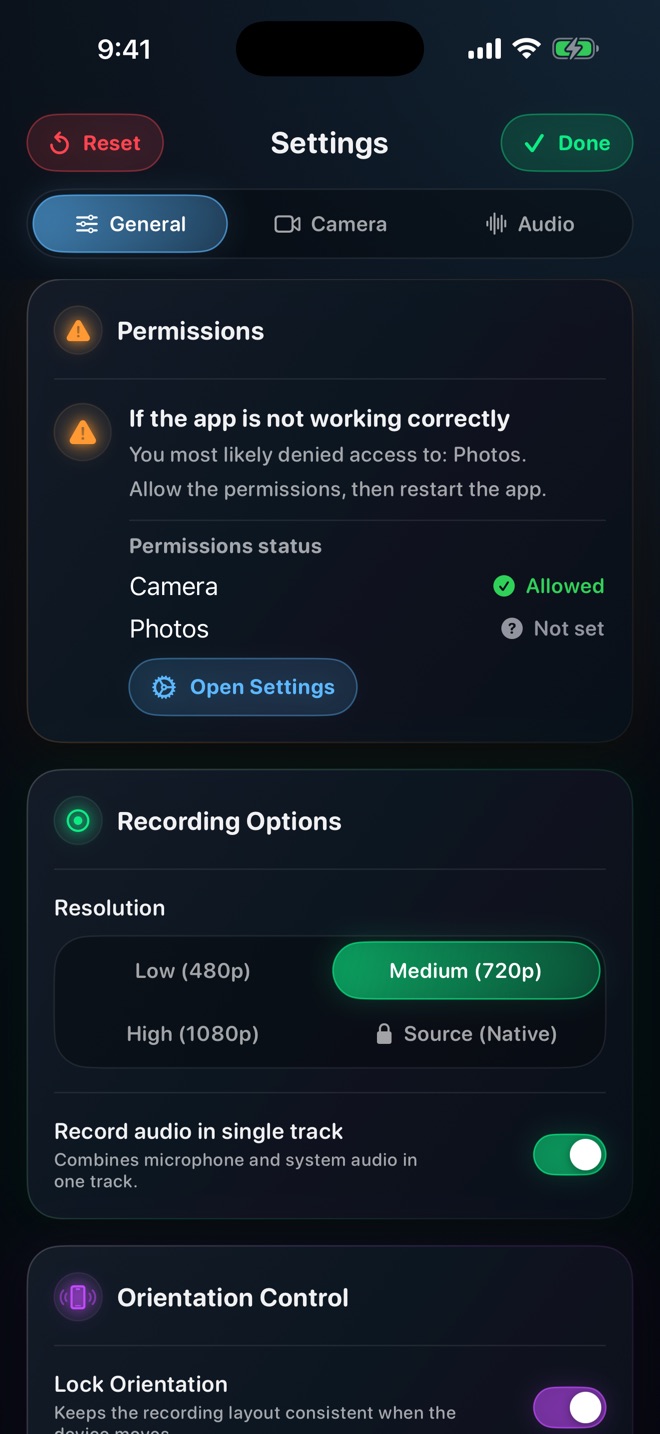
The inspected Reel plan logic distinguishes free Low/Medium/High quality choices from Pro access to Source Native. The public listing also describes its current purchase offer. This does not justify claiming that all possible future features, devices or versions share the same entitlement rules.
On iPhone and iPad, Pro also removes the ads shown in the free tier. Ad removal and Source Native are separate benefits: one changes the app experience, the other changes the available recording quality. This guide does not extend that ad statement to every Mac configuration. Choose from the current purchase screen rather than an older plan name or screenshot; a competitor’s limits are not Reel’s offer.
Understand what Native does and does not mean
In the reviewed quality implementation, lower tiers cap the shorter source side while preserving its aspect ratio; Native uses source sizing. It is not a promise of lossless encoding, a fixed 9:16 canvas or compatibility with every editor.
Compare a small-text sample before and after choosing the needed tier. Keep framing and the task unchanged. If text is too small because the whole interface is squeezed into a tiny player, enlarging the important region may help more than purchasing a larger source file.
Read the purchase shown to your account
Reel’s listed products include monthly, yearly and lifetime Pro options. The local storefront purchase sheet is the place to verify the price, currency and terms presented to you. This guide deliberately does not promise one dollar amount worldwide.
For a subscription, review the renewal period and how cancellation works through the store. For another product type, read its own description rather than assuming subscription terms apply. Keep the purchase confirmation and use the app’s supported restore workflow if entitlement does not appear.
Retest the actual recording rather than the payment screen
After the purchase or restored entitlement, verify that the intended setting is available, make a short take and inspect its saved dimensions and picture. A successful transaction does not certify capture permission, storage, audio or every third-party source.
If the test already meets the requirement without upgrading, continue with that workflow. If a required feature remains unclear, ask support before making additional purchases. Report the app version and what the purchase screen offered; do not post receipts containing private details in public support comments.
Does buying Pro make the recording lossless?
No. Source sizing and encoding quality are different. Inspect the actual file and intended viewing result.
Are prices identical in every country?
Do not assume so. Check the local storefront purchase sheet and product terms shown before purchase.