Best Floating Camera Bubble App for iPhone, iPad & Mac (Draggable PiP Over Any App)
Standalone "hand mirror" or floating-camera utilities put your face on screen, but leave you scrambling to start a separate screen recorder, fix missing audio, and trim Control Center out of the clip. A recorder with native floating camera modes built in handles the overlay, the audio mixer, and the MP4 capture together.
Floating camera only vs integrated screen + camera recorder
Apps that only float a webcam window still rely on Apple’s stock recorder for capture, which gives you a single unmixed audio stream, no resolution selector, no orientation lock, and no Mac internal-audio mixer.
Reel combines both halves in one universal Apple app: Picture-in-Picture over other apps on iPhone and iPad, plus Floating Window and Pop-out Camera Window modes on Mac.
How to float the camera bubble on iPhone & iPad
Once Picture in Picture is enabled, iOS lets you drag the camera window to any of the four screen corners, pinch to resize between compact and larger views, or temporarily tuck it off the side edge while typing a password—all while your voice continues recording.
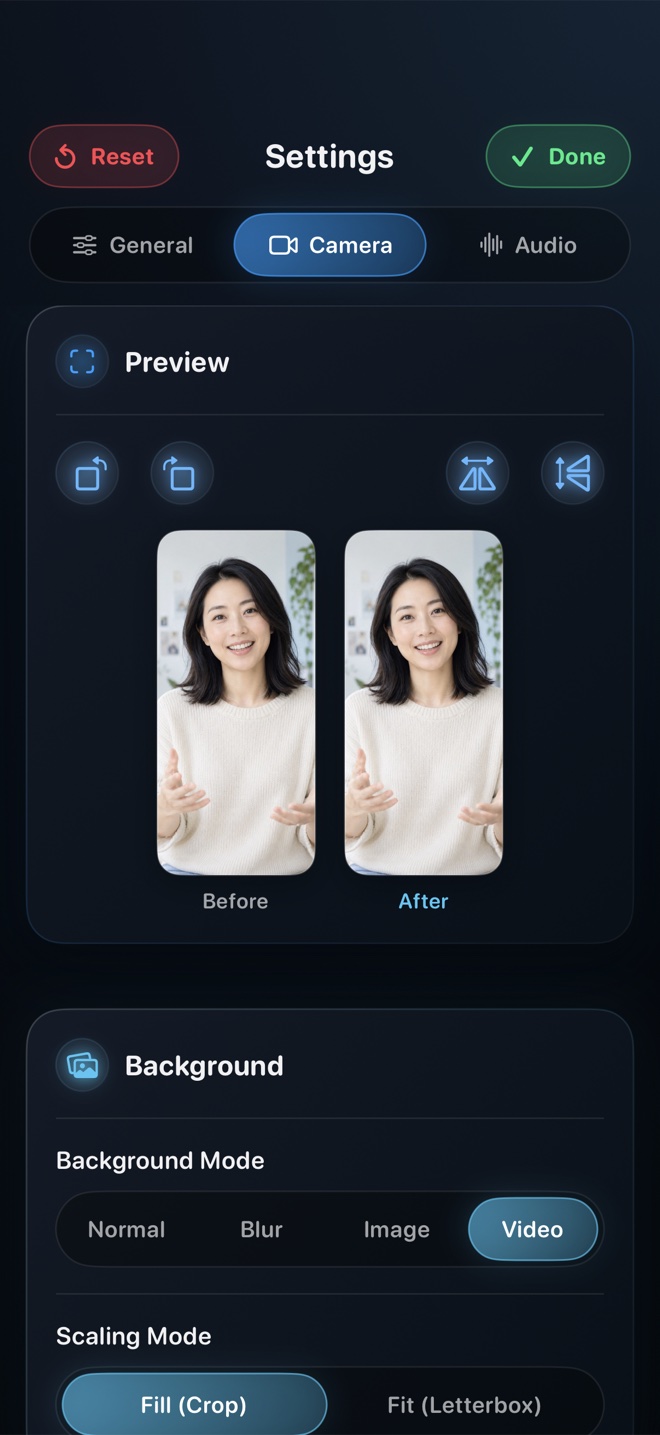
- Open Reel and enable Show Camera in Settings → Camera.
- Select Picture in Picture as your camera mode and optionally enable background blur.
- Tap Record, confirm Microphone On in the ReplayKit sheet, and swipe home to open any app.
- Drag your floating camera bubble to whichever corner leaves the app’s controls clear.
How the floating camera works on Mac
On macOS, choose Pop-out Window in Settings → Camera → Mode and click Camera in Reel’s toolbar. Place the borderless camera window over any corner of your recorded display—or keep Floating Window active so Reel composites your camera into the recording even if other windows cover Reel itself.
Can I hide the floating bubble for five seconds mid-recording without stopping?
On iPhone and iPad, swipe the PiP bubble toward the left or right screen edge to tuck it into a tab, then pull it back out whenever you want to reappear.
Does the free version put a watermark on the camera bubble?
No. Reel never adds a watermark on iPhone, iPad, or Mac.