Mixed or separate audio tracks? Decide before recording
Microphone narration and app sound are two sources. They can be combined for convenient playback or retained separately for editing. Choose according to the next person’s job, then inspect the saved movie: the intended track setting is not proof of what every player or editor will hear.
Write down the delivery requirement
For a support reply, the recipient may just need to hear your voice over a notification sound. A mixed track can suit that simple playback task. For a lesson with background music, an editor may need to lower the music independently without changing the narration. That calls for source separation or a project that preserves it.
Do not confuse left/right stereo channels with separate source tracks. A microphone in one channel and app audio in the other is not automatically the same arrangement as two independently selectable tracks.
Check the recorder’s current audio controls
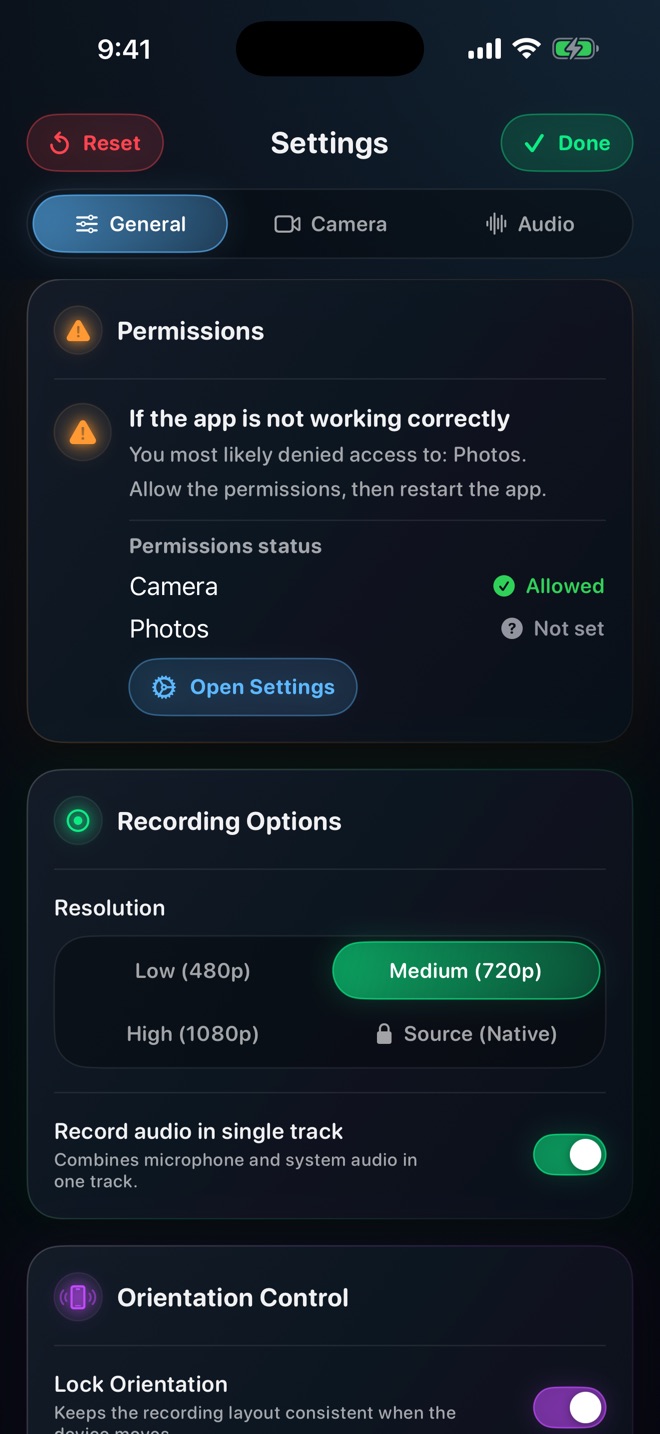
In inspected Reel source, Settings > General > Recording Options includes a single-track choice, enabled by default, while the Audio tab has source levels and mute controls. Mixed export can fall back to the original movie if mixing or saving fails. Check the actual delivered file rather than assuming the toggle guarantees the final track arrangement.
OBS documents a different, explicit multi-track recording setup through Advanced Audio Properties and Output settings. Its guide warns that ordinary video players commonly play one selected track. Those OBS settings should not be presented as Reel menus.
Make an identifiable two-source sample
Record a harmless example with three parts: say “microphone only” while the app is quiet; play an allowed short app sound without speaking; then speak while it plays. Keep both sources at modest levels. The separated intervals make it easier to identify what is missing.
Stop, play the saved movie and listen through all three parts. If only narration is audible, determine whether the app source was absent, muted or stored on another track before changing microphone permissions.
Test the editor, not just the player
Import the same original into the intended editor and inspect its available audio streams. Confirm whether the editor exposes the sources independently and whether changes survive export. Some simple importers handle only one track; do not promise compatibility from the MP4 extension.
For a mixed delivery copy, listen for both the spoken phrase and app sound in the recipient’s player. For an editing handoff, include a short note identifying the expected sources and keep the untouched original. Do not overwrite the only separated copy while making a convenient preview.
Keep capture problems separate from playback choices
If a source is missing from every accessible stream, investigate the capture route and source restrictions. Converting containers or raising playback volume does not create missing sound. If it exists in the editor but not the player, the delivery arrangement is the more useful lead.
After a successful sample, keep the same input devices and settings for the real session. Repeat the sample after changing a headset, microphone, app source or export workflow; a track decision is part of the recording setup, not an afterthought.
Why does a two-track movie play only one sound?
The player may select one track rather than mixing them. Inspect the streams in an editor and make an appropriate playback copy.
Can a converter recover audio that was never recorded?
No. First establish whether the intended source exists in the original file.