Send a recording when the recipient cannot accept a large attachment
Screen recordings grow quickly, and email attachment limits are small by comparison. You have three honest options: send less video, send a smaller file, or send a link instead of the file. Each one has a cost.
Find the limit that actually applies
Gmail’s help center gives a 25 MB attachment limit for personal accounts and says work accounts use limits set by their administrator. Other providers publish their own figures, and the recipient’s mail server may refuse a message that your provider accepted. If the file is for a company or school address, ask the recipient what they can receive before you send anything sensitive by link.
Check the file size before you start. On a Mac, select the file and use Get Info; in the Files app on iPhone, the size appears in the file’s info. Compare it with the limit, leaving some room because encoding an attachment for email adds overhead.
Option 1: send less video
A recording often contains a slow start, a pause while you look for a menu, and a long ending. Apple’s video editing guide explains how to trim a clip in Photos by dragging the handles on the timeline. When you save, choose Save Video as New Clip if you want to keep the original; Save Video replaces it with the trimmed version, although Photos can revert to the original later.
Trimming works best when the useful part is short. If the recipient needs all eight minutes, move to one of the other options rather than cutting content they need.
Option 2: make a smaller file next time
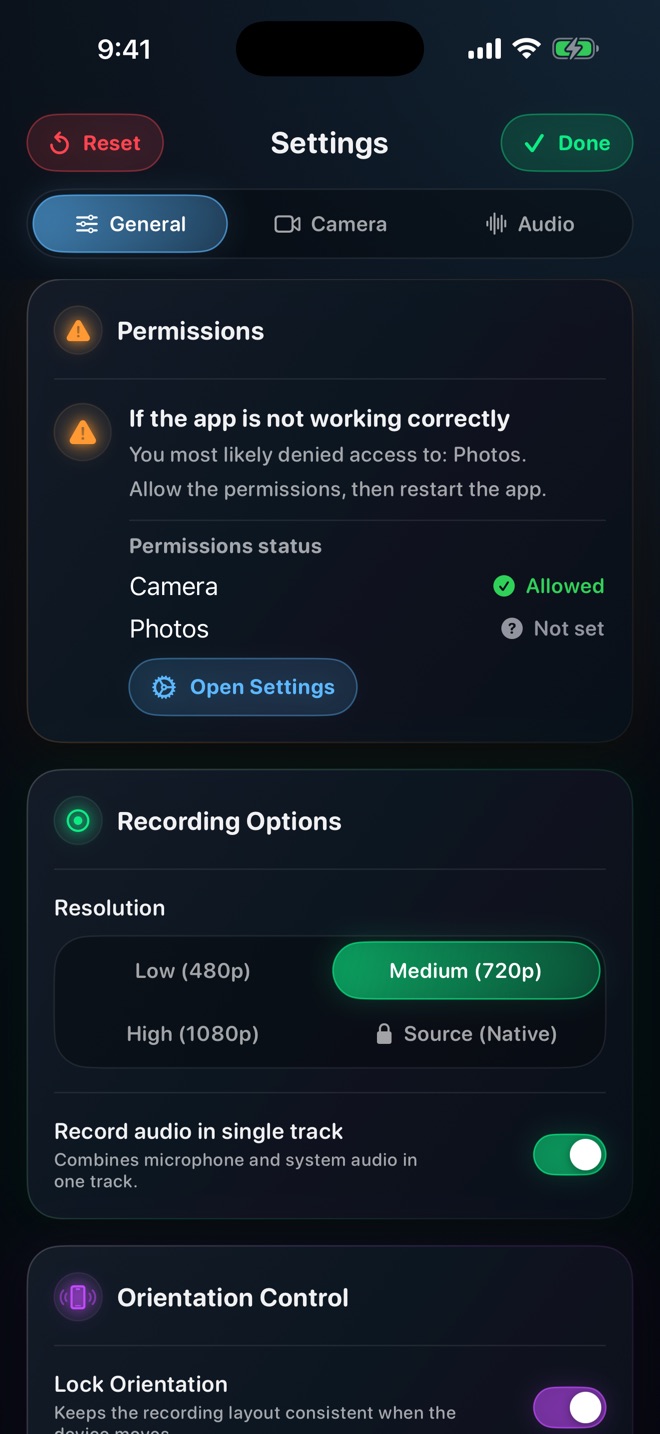
Resolution and length are the main levers you control. Reel’s quality setting caps the short side of the video at 480, 720 or 1080 pixels on the free plan, and Pro adds a native option. A walkthrough of large on-screen buttons may read perfectly well at 720p, while small code or spreadsheet text may not. Re-recording at a lower setting is cheaper than shrinking an existing file only if you can repeat the take easily.
Do not assume your mail app will shrink a video for you. Behaviour varies by app and by how you share, so check the size of what actually leaves your device.
Option 3: send a link instead
Apple’s Mail Drop uploads large attachments to iCloud and gives the recipient a link. Apple’s limits page says attachments can be up to 5 GB, they expire after 30 days, and there is a 1 TB Mail Drop storage limit. Apple’s iCloud Mail guide adds that you cannot remove files already sent with Mail Drop, so do not use it for something you may need to withdraw. Gmail, for its part, replaces an oversized attachment with a Google Drive link automatically; check that link’s sharing setting before you send.
Use a storage service approved for the material you are sending. For a permitted iCloud Drive workflow, Apple describes access for invited people or anyone with the link, with view-only or editing permission. Use the narrowest appropriate access. For confidential company material, confirm that the company permits that service; choosing invited people does not replace its storage policy.
Worked example: a 180 MB walkthrough for a client
You recorded a six-minute walkthrough of a website’s admin panel for a client who uses a company email address. The file is far above a typical attachment limit.
- Trim the waiting time at the start and end in Photos, saving as a new clip.
- Check the new size. It is still over the limit, so a link is needed.
- Use sample order data and share through a service the client approves, limiting access to the intended recipient.
- Check that a signed-out visitor is denied and that the intended client can open the link with the expected account.
- In the email, state the length, what the video covers and when you will remove access.
When a link fails
Some company networks block personal cloud storage. If the recipient reports a blocked or expired link, ask which services they can open rather than resending the same thing. Apple also notes that a Mail Drop link may become inaccessible after an excessive number of downloads, so a recording intended for many people belongs on a hosting service, not in a mass email.
Does Mail Drop shrink the video?
Apple describes Mail Drop as uploading the attachment to iCloud for download; it does not describe it as compressing the video. Expect to send the file at its current size.
How long can the recipient download a Mail Drop file?
Apple says Mail Drop attachments expire after 30 days.